Professional & Affordable HDD Recovery Services – Free Inspection!
Looking for expert hard drive recovery in Los Angeles, Santa Monica, Venice, Culver City, Brentwood, or West LA? PCQuick.net offers fast, reliable, cost-effective solutions for recovering lost data from Windows, Mac, and Linux-formatted drives.
Don’t Let Data Loss Slow You Down!
Call 310-984-6986 Today!
Get a free HDD recovery assessment.
Free HDD Inspection
There is no upfront cost to diagnose your hard drive issue.
All File Systems Supported
We recover data from NTFS, FAT, APFS, HFS+, EXT4, and more
Cleanroom Expenses
We assess if a cleanroom recovery is needed, saving you money.
For Home & Business
Personal files or critical business data, we’ve got you covered.
HHD Drives Malfunction Most Frequent Reasons:
Mechanical Crash:
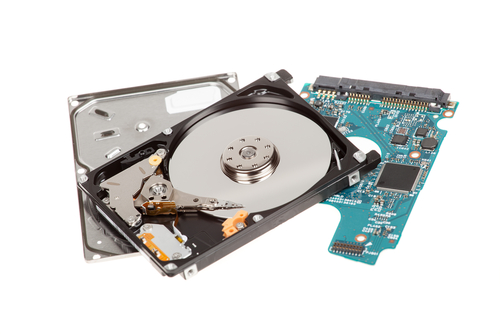
Ticking or scratching noises when starting your drive indicates a failure in the read-write heads. The hard disk motor or the platters, where your stored data can be damaged, can be the reason. Mishandling of the drive can also result in physical damage.
Physical or electrical
Circuit failure of the PCB board will stop your hard drive and prevent you from accessing your data.
In many cases, physically damaged hard drives may also damage the file system’s logic structure.
Logical disk errors:
They can be generated by error or by mishandling. Malicious programs such as viruses can be the source of serious logical errors. The other source of possible functional damage, which is slightly more common, is that of adulterated system resources.
SSD Drives Malfunction Most Frequent Reasons:
NAND Flash Wear & Tear
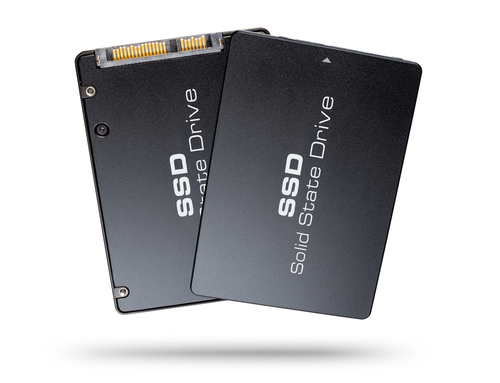
SSDs have a limited number of write cycles. Over time, excessive writing can wear out NAND flash cells, leading to performance degradation and failure. High-end SSDs use wear-leveling techniques to distribute writes evenly, but continuous heavy use can still cause issues.
Controller Failure
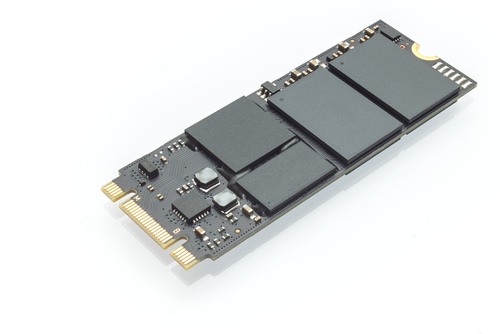
The SSD controller manages data read/write processes. The drive can become inaccessible if it fails due to overheating, firmware bugs, or manufacturing defects.
Firmware Bugs & Corruption
Faulty or outdated firmware can cause SSDs to malfunction, exhibit slow performance, or become unrecognizable by the system. Due to firmware errors, some SSDs may enter a locked or “read-only” state.
Power Loss & Electrical Issues
SSDs have a limited number of write cycles. Over time, excessive writing can wear out NAND flash cells, leading to performance degradation and failure. High-end SSDs use wear-leveling techniques to distribute writes evenly, but continuous heavy use can still cause issues.
Controller Failure
Unexpected power failures can cause data corruption or firmware issues, leading to SSD failure. Power surges or unstable power supplies can damage the SSD’s internal components.
Firmware Bugs & Corruption
High temperatures can degrade SSD performance and shorten its lifespan. Some SSDs throttle speeds when overheating, while others may fail if exposed to prolonged heat.
System or BIOS Incompatibility
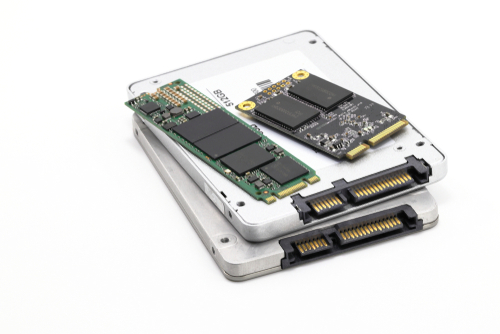
Some SSDs may be incompatible with specific motherboards or require firmware updates to function correctly. Improper BIOS settings (e.g., incorrect SATA mode) can also cause detection issues.
Excessive Write Operations
Continuous heavy workloads, such as large database operations or high-frequency writes in a server environment, can wear out SSDs faster.
File System Corruption & Software Issues
OS crashes, improper formatting, or corrupted file systems (NTFS, exFAT, etc.) can make an SSD unreadable.
Enhance Your Digital Security Today!
Join numerous satisfied clients and empower your business with our trusted IT solutions. Contact us now!